KeePassXC
Open source password manager that keeps credentials in an encrypted database file, with password generation, auto-type and keyfile support.
What it does
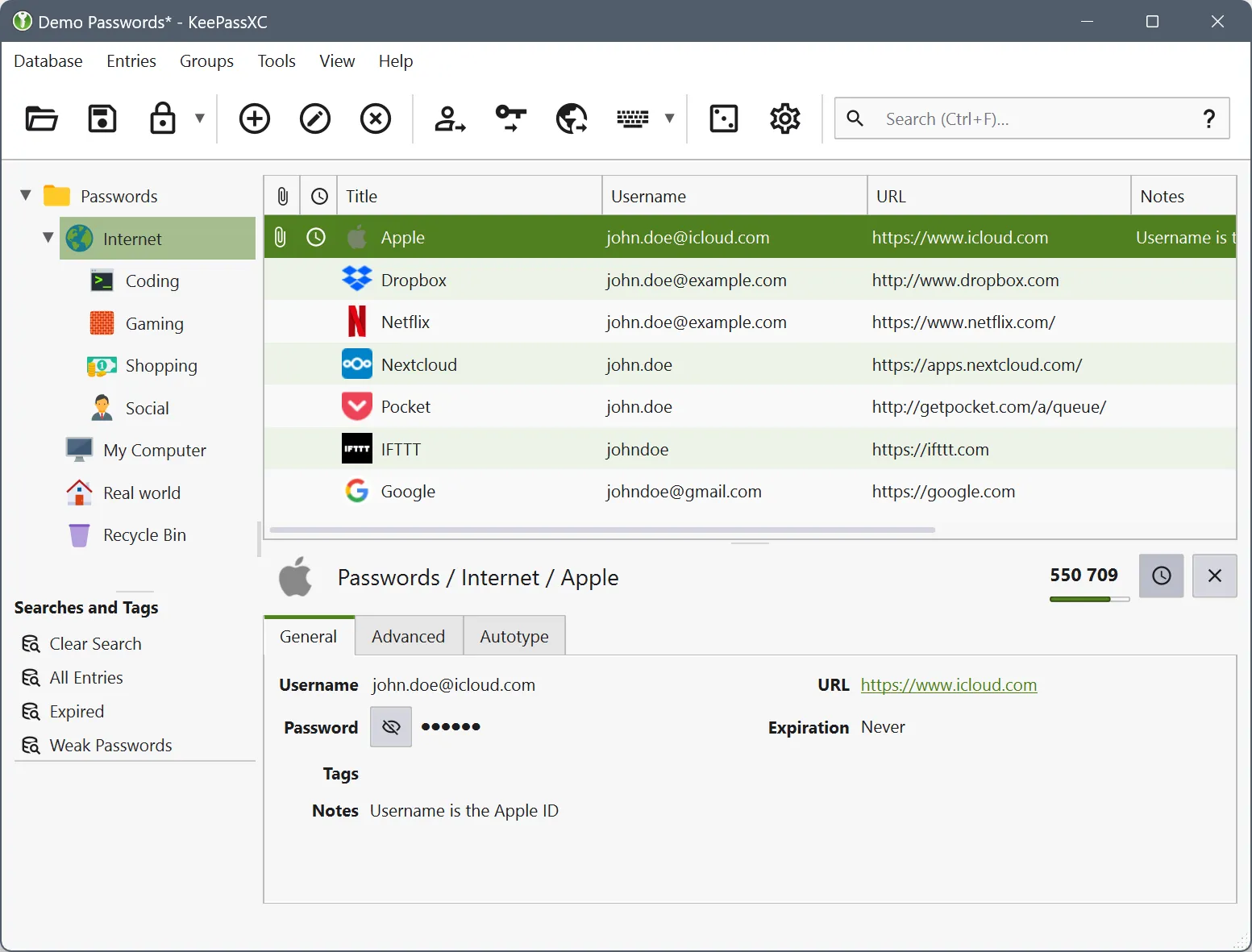
- Encrypted database file (.kdbx) that works without a server
- Password generator with length and character rules
- Auto-type into remote desktop and login forms
- Keyfile support as a second factor alongside the master password
- Reports that list weak, reused and old passwords
KeePassXC keeps passwords, server credentials and notes in one encrypted database file (.kdbx). Only someone who knows
the master password, and holds the keyfile if one is used, can open it.
Who it is for
KeePassXC suits a small IT team that wants control of where its secrets live. It has no cloud service and no subscription. If you want a managed service with sharing and audit logs built in, a commercial password manager may suit you better.
Install and first run
- Download the installer from the official download page and verify it before you run it.
- Create a new database and choose a long master password.
- Add a keyfile in the database security settings and store it separately from the database.
- Create groups for each area, such as network devices and servers.
- Save the database to a location with restricted access.
The team setup is described in sharing admin passwords safely.
Practical notes
- Use the generator for new passwords rather than inventing them.
- Run the database reports after each import to find weak or reused passwords.
- Test the backup on another PC at least once a quarter.
Common tasks
Questions and answers
Is KeePassXC a cloud password manager?
No. The database is a file you store yourself, on a drive you control. That is its strength for teams that want no vendor cloud, and its limit: you must manage backups and access yourself.
What happens if I lose the master password?
The database cannot be opened. There is no recovery service. Keep a sealed emergency record, as described in the emergency access guide.
Can several people use one database?
Yes, with care. Store it on a share with access limited to the group, and avoid two people editing at the same time without a plan for conflicts.
Should I store SSH keys in it?
Yes, as attachments in the entry, with a strong passphrase on the key. Export a key only when you need it, and delete the temporary copy after use.
Guides that use KeePassXC
- Build an Emergency Access Kit for Your Password DatabaseHow to prepare a sealed emergency record so that a password database and its keyfile can be recovered when the usual administrator is unavailable.
- KeePassXC Keyfiles and Backups: A Recovery-First ApproachHow to protect a KeePassXC database with a keyfile, keep verified backups in separate locations, and test that you can actually recover the data.
- Move Passwords from Spreadsheets into KeePassXCA safe migration plan for moving admin credentials from spreadsheets and text files into a KeePassXC database, with cleanup of the old copies.
- SSH Keys and Server Passwords in KeePassXC for WinSCPHow to keep SSH private keys and server passwords in a KeePassXC database, and use them with WinSCP without leaving secrets on the desktop.
- Share Admin Passwords Safely with KeePassXCHow a small IT team can store shared service and device passwords in a KeePassXC database, with groups, access rules and a review routine.